 Songplanner
Features
Everything the app does
Paste your lyric, mark how you will sing it, read it in large type, sing it on a teleprompter and share one clean sheet. Every screen on this page is the real app.
Paste and tidy
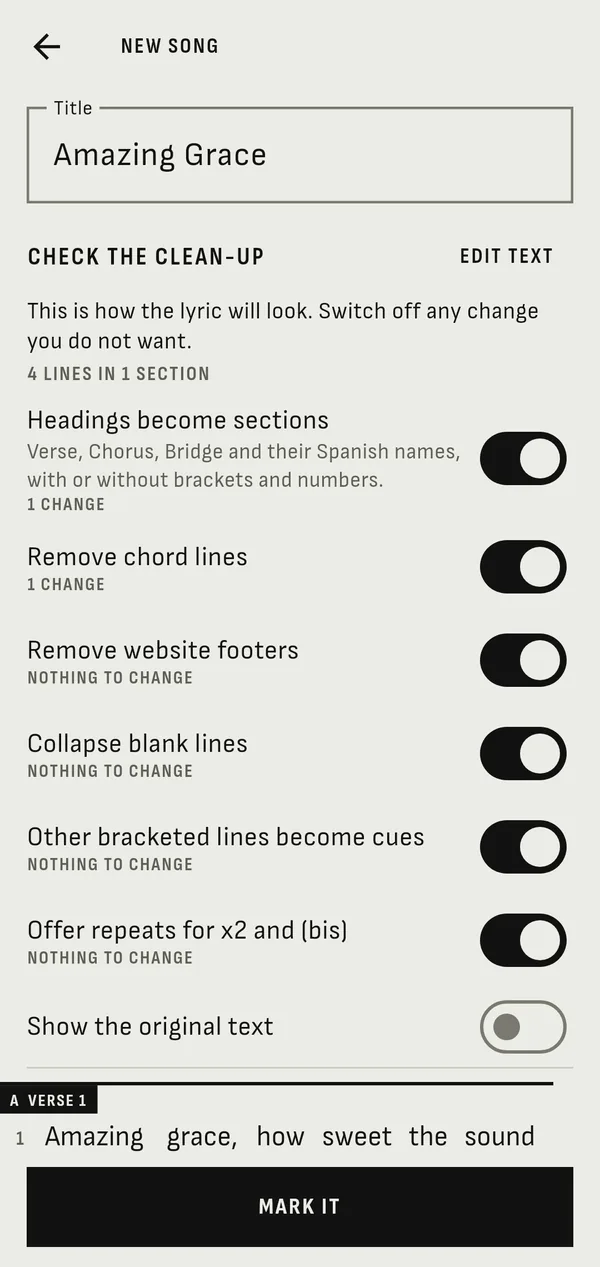
Bring your own words. The paste tidies itself.
Paste the words or type them. You see every change before it happens.
- Headings become sectionsVerse, Chorus, Bridge and the other headings turn into section rows.
- Chord lines goLines with only chords on them are taken out, and blank lines collapse.
- Every rule is a switchThe preview lists each clean-up rule as a switch, so nothing changes behind your back.
- Your marks stay putEdit the text later and your marks stay on their words.
- You bring the textSongplanner does not find, download or complete lyrics: a song you wrote, a public domain piece, or words you have the right to use.
Mark
Seven kinds of marks, right on the words
Pick a mark and tap down the page. Or hold any word to see every mark that fits there.
- BreathFull breath, quick breath, pause, no breath, and a link that joins two words. One button puts a breath at every line end, and you move the exceptions.
- Dynamicsp, mp, mf, f, crescendo, decrescendo and a sudden change.
- WordStress, hold, cut-off and throw away.
- VoiceChest, mix, head, belt and spoken. The codes are yours to rename.
- StyleRiff or run, straight to vibrato, breathy onset.
- StageMove, look, mic, or a short action such as “kneel”.
- NotesA few words of your own on any word.
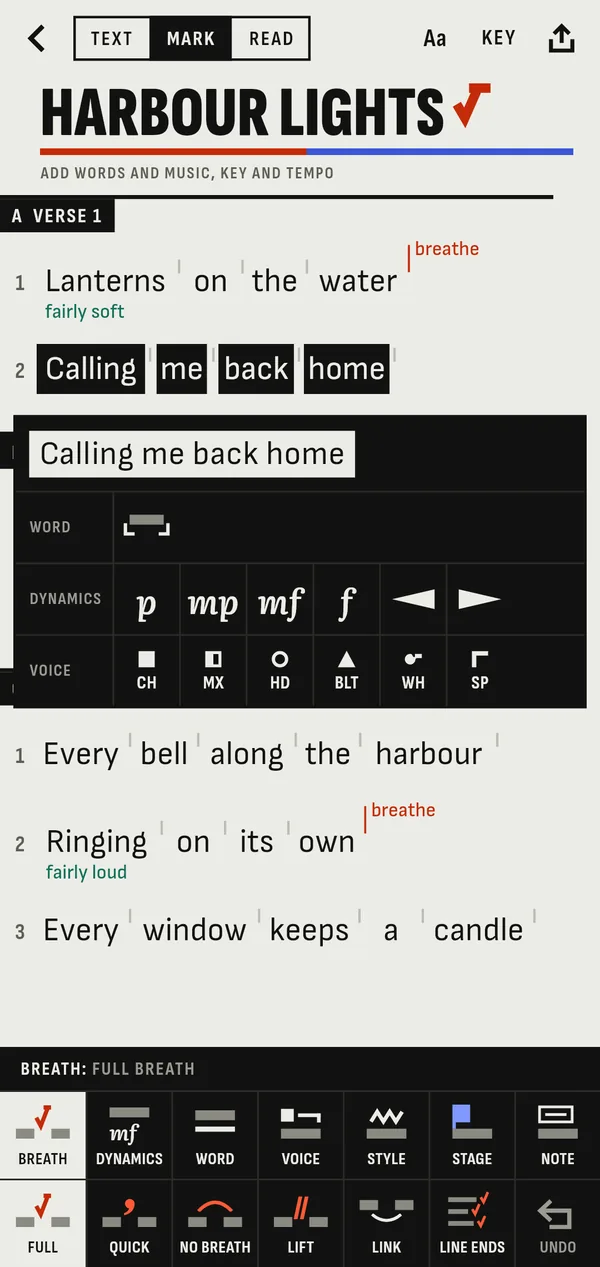
- Hold and dragHold a word, then drag across a whole phrase, over line ends too. Let go and the marks that fit a phrase open: word, dynamics and voice.
- Words or signsShow the marks as plain words, the way a new singer reads them, or as music signs. Only the look changes.
- Three inksRed where you breathe, blue where you move, green for how to sing. In black, each mark is still told apart by its shape and its place.
- Undo and redoAlways on screen.
Read
Read it in large type, at the lesson or in rehearsal
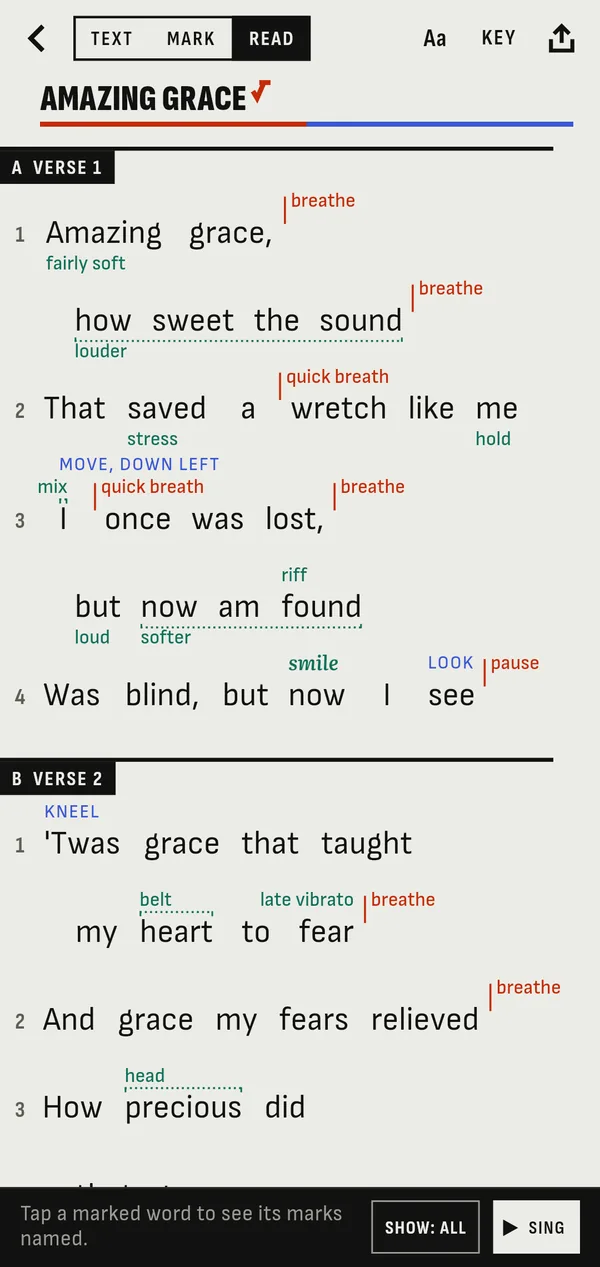
Read shows the plan in large type, light or dark, with the screen kept awake.
- Tap a marked wordSee what its marks are called.
- Hold it to change a markChange a mark on the spot, at the lesson or in rehearsal.
- Show what you needEverything, the essentials, or one group of marks at a time.
- Upright or sidewaysRead works with the phone turned sideways too.
Sing
A teleprompter that knows your marks
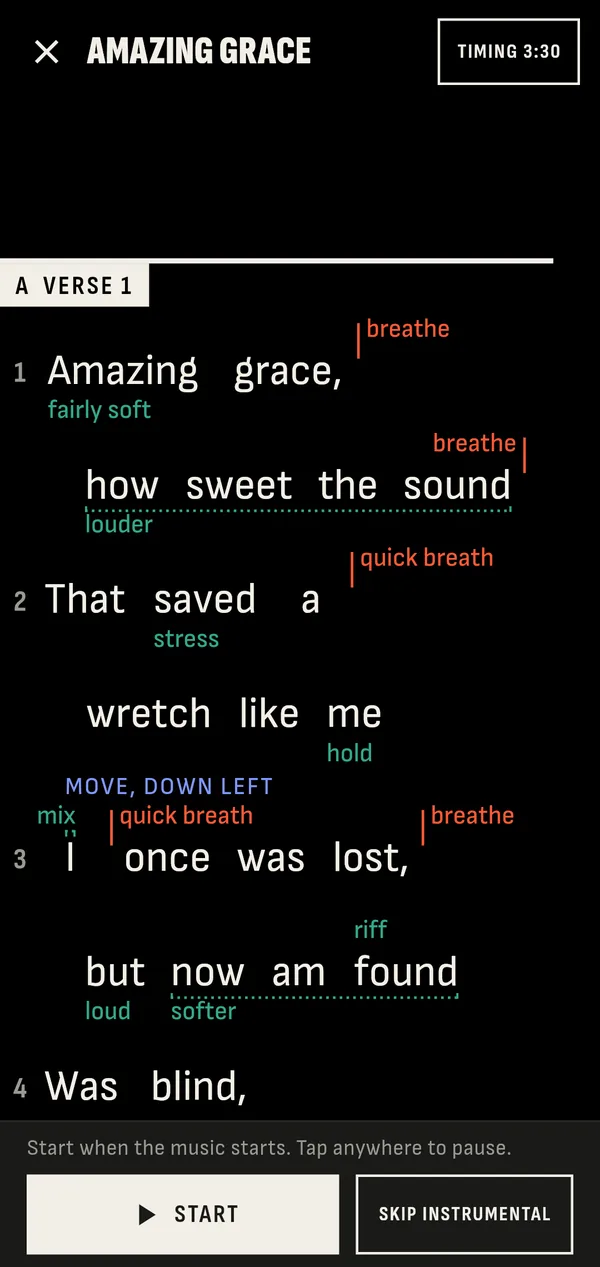
Sing scrolls your marked lyric with the song, so the line you are singing and its marks stay in view. Tap anywhere to pause.
On a timer
No music to play? Set the song's length, press Start when the music starts, and the words scroll to it.
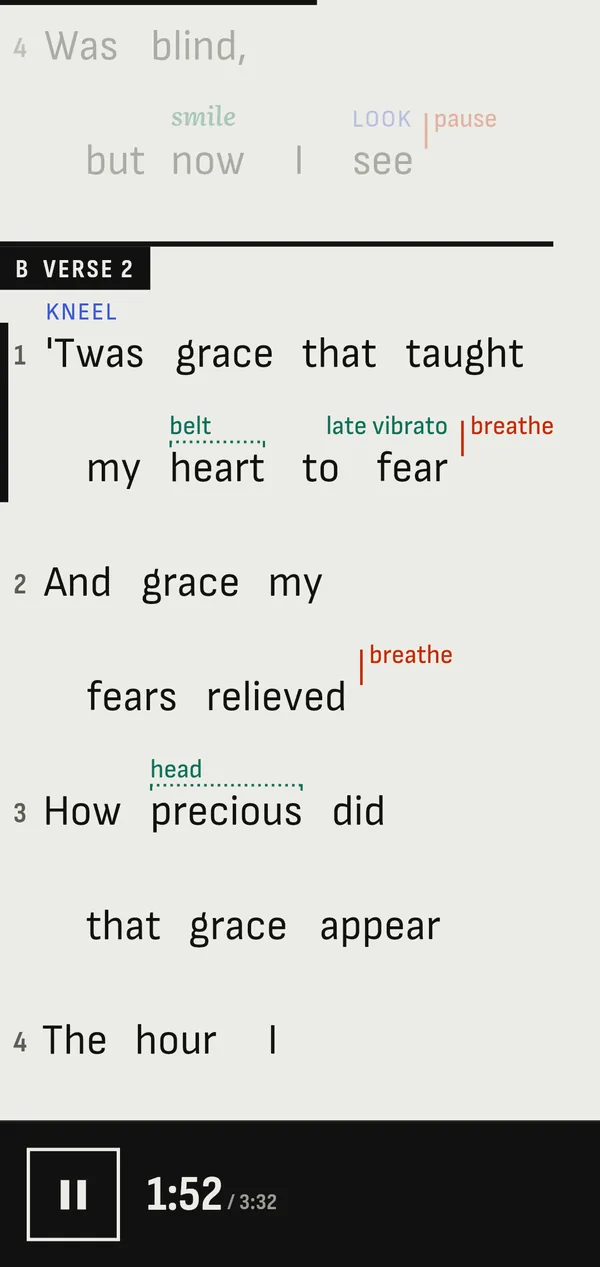
Your own track
Sing over a backing track, an audio file you pick on your phone. The words follow its time.
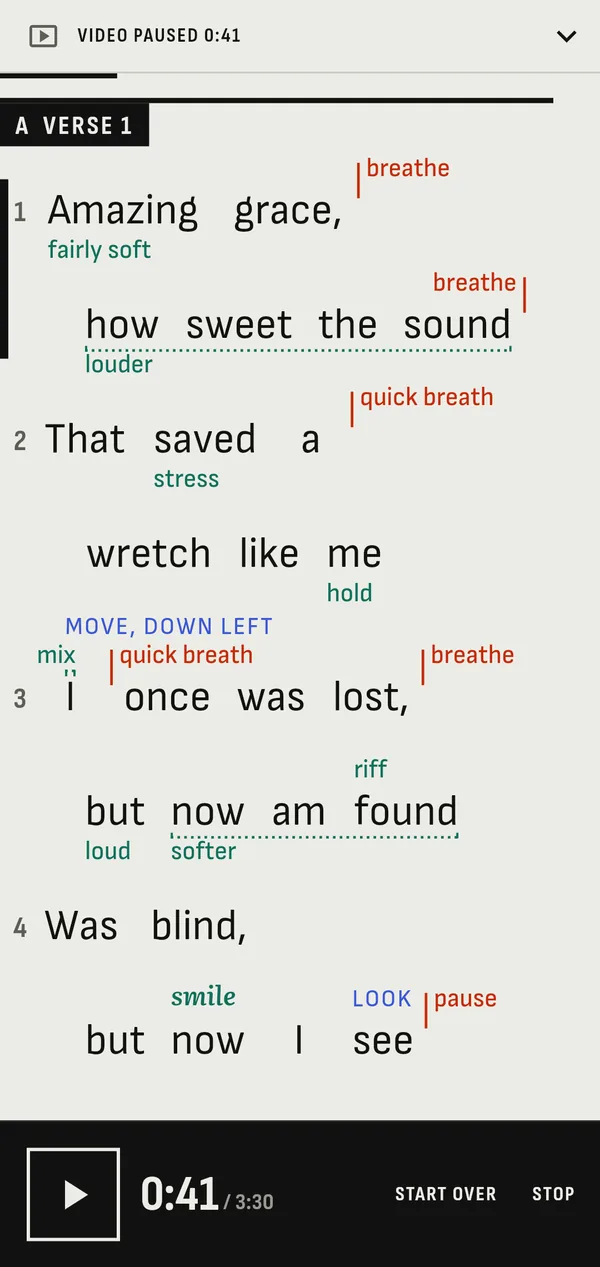
A video you link
Paste a YouTube link. The video plays in YouTube's own player and the words follow its time. Fold it to a bar and the words get the screen.
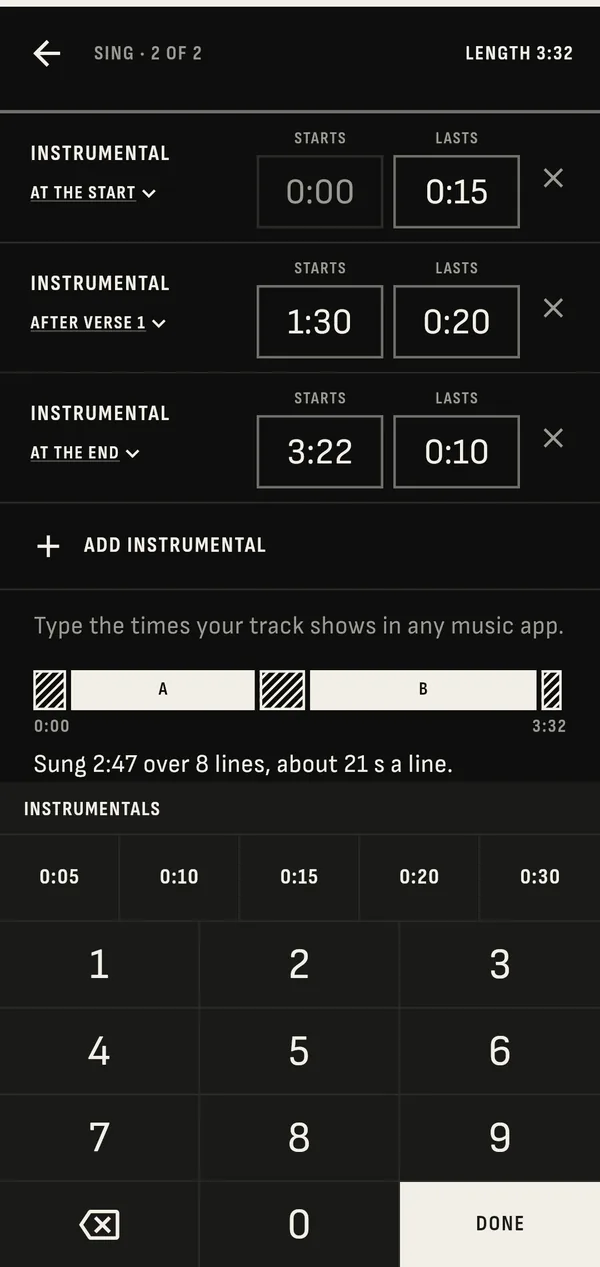
Instrumentals with start times
Give each instrumental its start time and its length. The words wait it out, then carry on.
- SidewaysTurn the phone sideways and a linked video sits beside the words. Pinch to set the text size: upright and sideways each keep their own.
- Paused, nothing covers the wordsPlay, the time, Start over and Stop sit at the foot of the screen.
- The track stays on your phoneIt is not put in backups or in the files you share.
Share
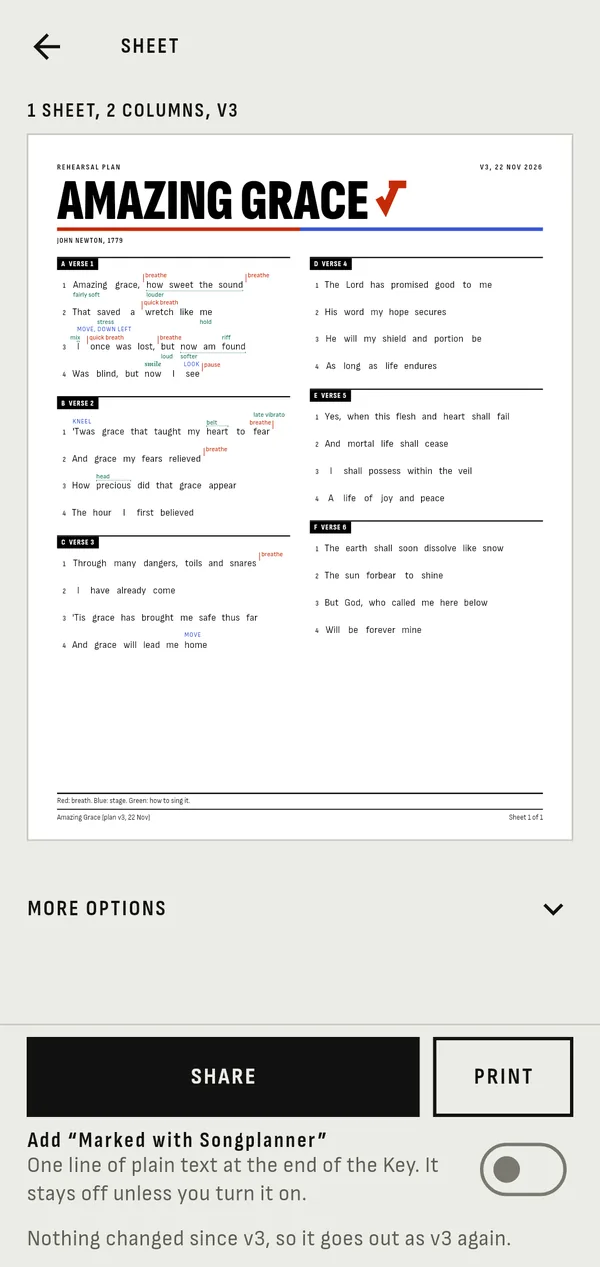
Your song on one clean sheet
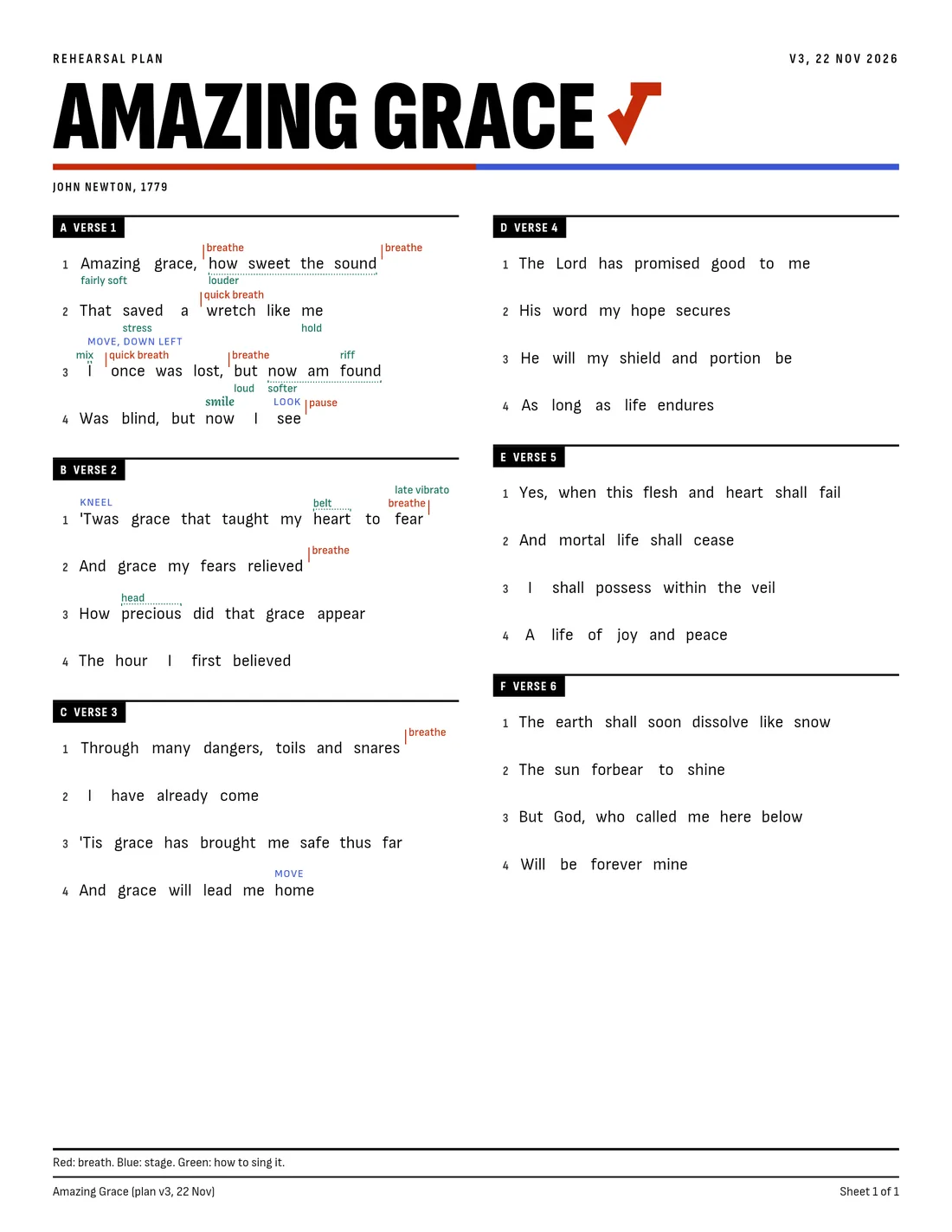
Print it, or share it as a PDF through any app you already use. Whoever gets it needs no app to read it.
- One pageOne column, then two, then a smaller size, never under 10 pt. A longer song breaks between sections, never inside one.
- Versions and change barsEvery share carries a version and a date, on the page and in the file name. Change a mark after a lesson, share again, and v3 becomes v4, with a bar in the margin beside each line that changed.
- BookletsPut a set in order and share it as one PDF booklet.
- A4 or Letter, black or colourPrint in black, or in red, blue and green. A plain title style is one switch away, for a hymn or a lullaby.
- Large print and a phone pageFor when A4 is not what you need.
- An editable copySend the .songplan file as well, and another singer can open the plan in Songplanner and change it.

Library
Your whole repertoire, one look
Every song keeps its sheet, ready to reprint.
- LabelsGive each song a label, such as a student, a show or a set.
- Search and sortSearch looks at titles, lyrics and labels. Sort by last opened, title, date added or label.
- Back up to one fileBack up every song to one zip file, kept where you choose, and restore from it.
- Plans from other singersOpen a .songplan file someone sent you and add it to your songs.
Languages
In seven languages
English, Spanish, Portuguese, French, Italian, German and Indonesian. The app follows your phone's language, or the one you pick in Settings.
- English
- Español
- Português (Brasil)
- Français
- Italiano
- Deutsch
- Bahasa Indonesia
Private
Your songs stay on your phone
- No accountOpen it and start. There is nothing to sign up for.
- No ads of our ownAnd no analytics.
- No serverWe never see your songs. They leave your phone only when you share a file, or in your phone's own backup if you keep one.
- Works offlineExcept a YouTube video you link, which plays from YouTube, under YouTube's terms.
Get Songplanner
Free. No account.