A free app for singers, on Android
Mark up your lyrics. Sing them on a teleprompter.
Put your breaths, dynamics, voice and stage moves right on the words of your own song. Sing from a teleprompter that scrolls in time with your backing track or to the song's length. Then share the whole plan as one clean PDF sheet.
Free. No account. iPhone: not yet.
Try it here
Mark a line, right here
Tap a gap between two words to add a breath. Tap a word, then Louder, Softer or Stress. Nothing is uploaded or saved.
Tap a gap between two words to add a breath.
In the app: every mark, the whole song, the teleprompter and the PDF.
Open the full-size toolHow it goes
From a pasted lyric to a song you can sing and share
Every screen on this page is the real app, shown whole.
- Step 1
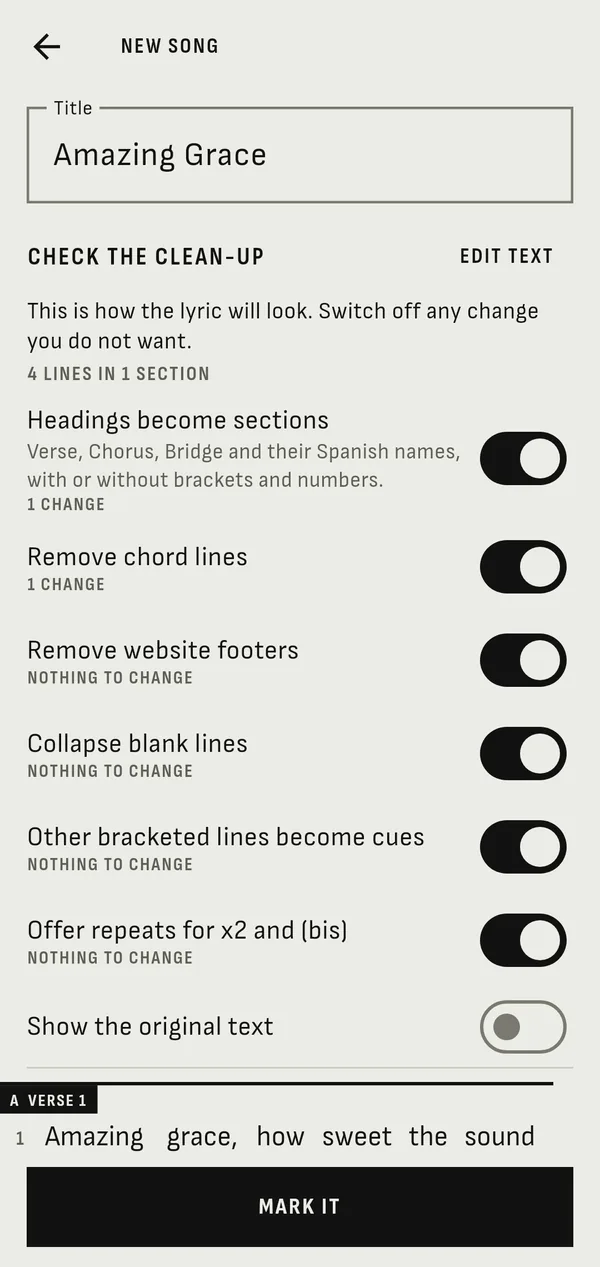
Paste
Paste your own lyric or type it. Headings become sections and chord lines go. Each rule is a switch.
- Step 2
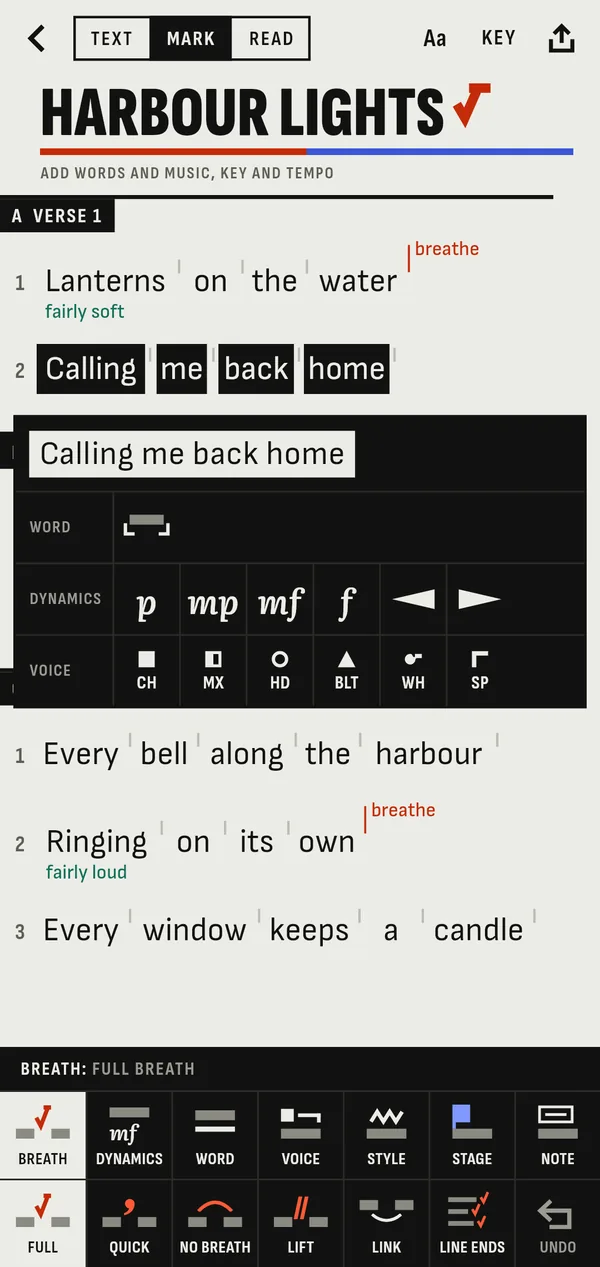
Mark
Pick a mark and tap down the page, or hold and drag to mark a whole phrase.
- Step 3
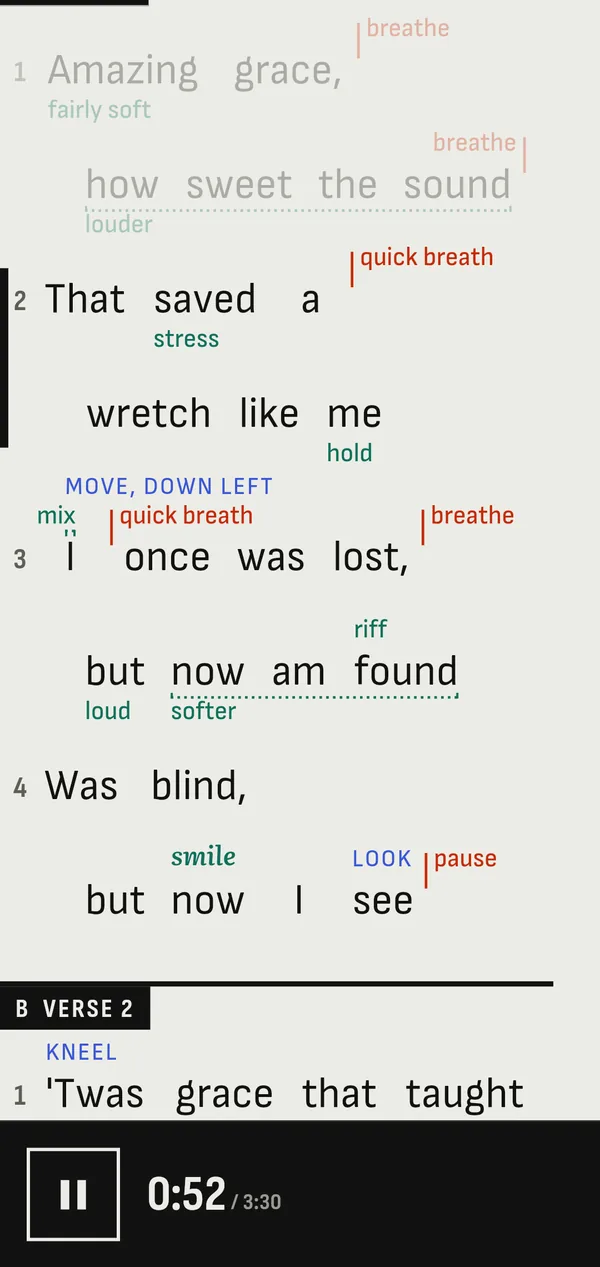
Sing
The lyric scrolls in time with your own track, or to the song's length.
- Step 4
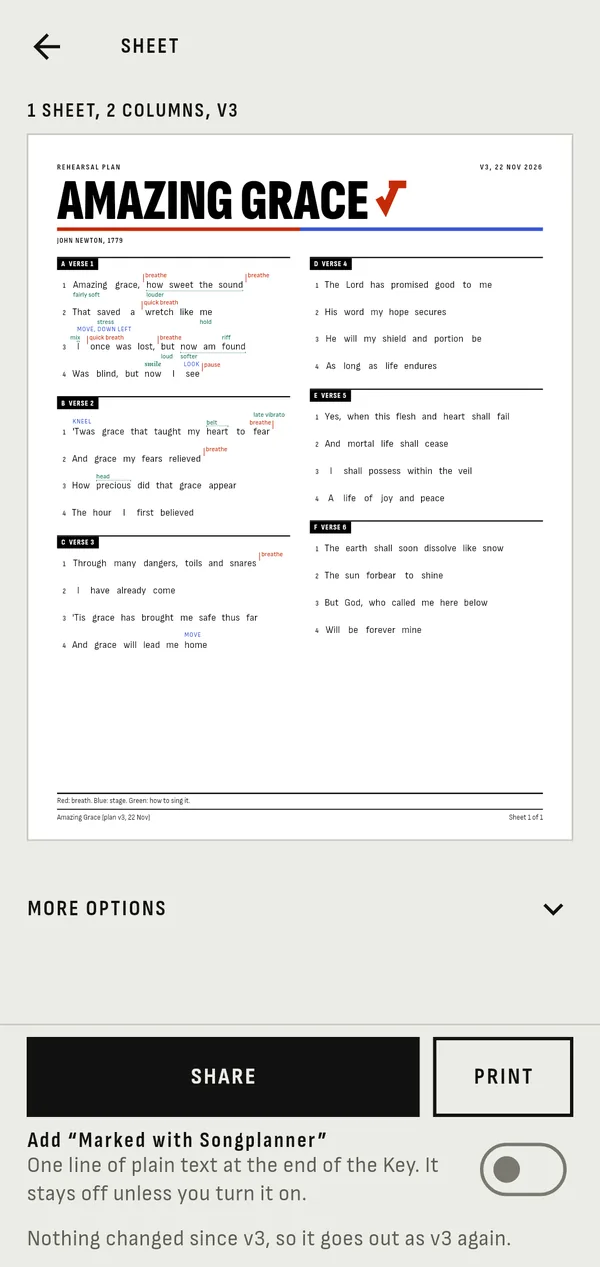
Share
Share one clean sheet as a PDF, or print it. Anyone can read it without the app.
The marks
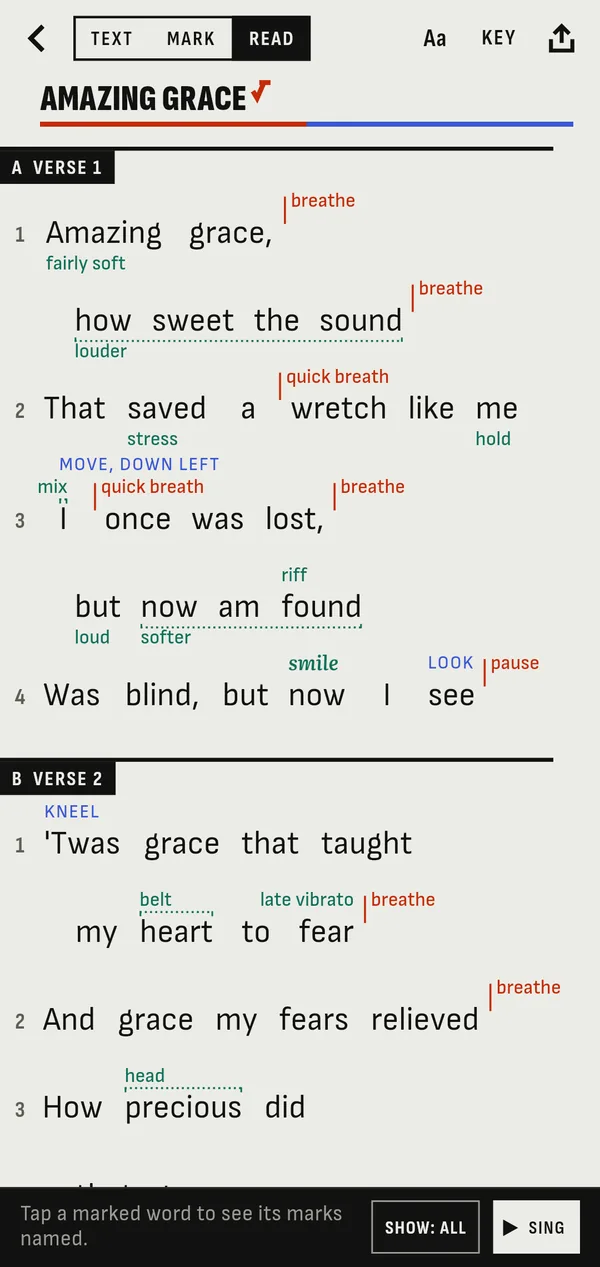
Seven kinds of marks, right on the words
Breaths sit between the words, how to sing a word sits under it, stage moves sit above it. Show them as plain words or as music signs. Red is breath, blue is stage, green is how to sing it.
Breath
Full breath, quick breath, pause, no breath, and a link between two words.
Dynamics
p, mp, mf, f, crescendo, decrescendo and a sudden change.
Word
Stress, hold, cut-off and throw away.
Voice
Chest, mix, head, belt and spoken. The codes are yours to rename.
Style
Riff or run, straight to vibrato, breathy onset.
Stage
Move, look, mic, or a short action such as “kneel”.
Notes
A few words of your own on any word.
On paper
In black, each mark keeps its place and its shape, so a photocopy still reads.
Sing
A teleprompter that knows your marks
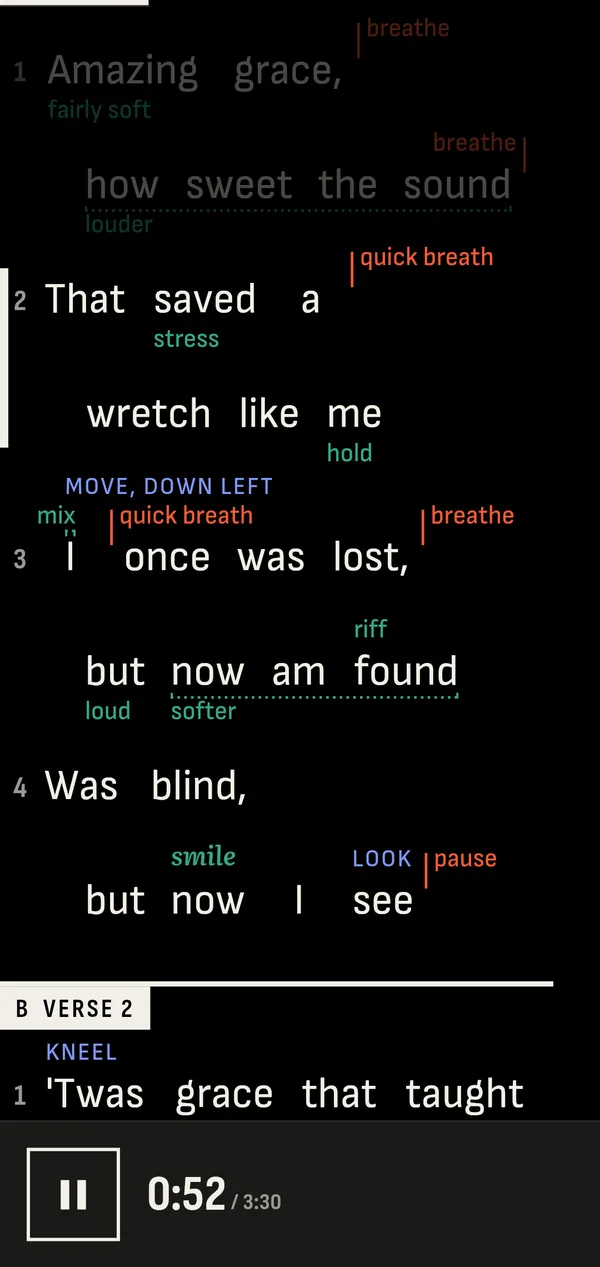
Sing scrolls your marked lyric in time with the song, so the line you are singing and its marks stay in view. Tap anywhere to pause.
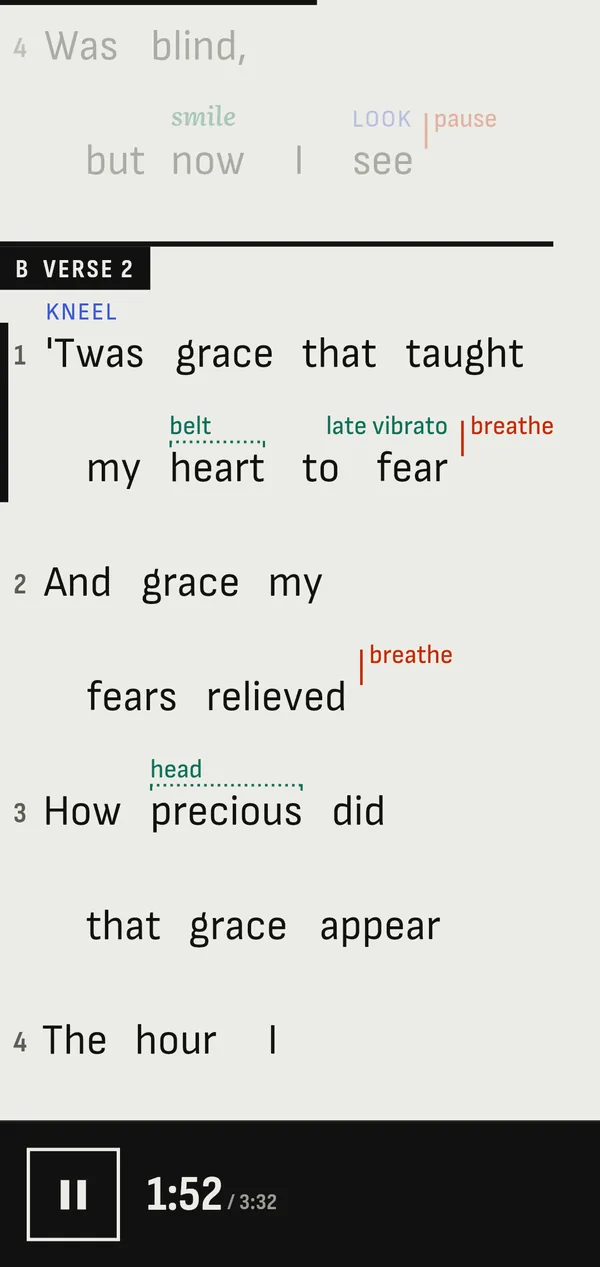
Your own track
Sing over a backing track, an audio file on your phone. The words follow its time.
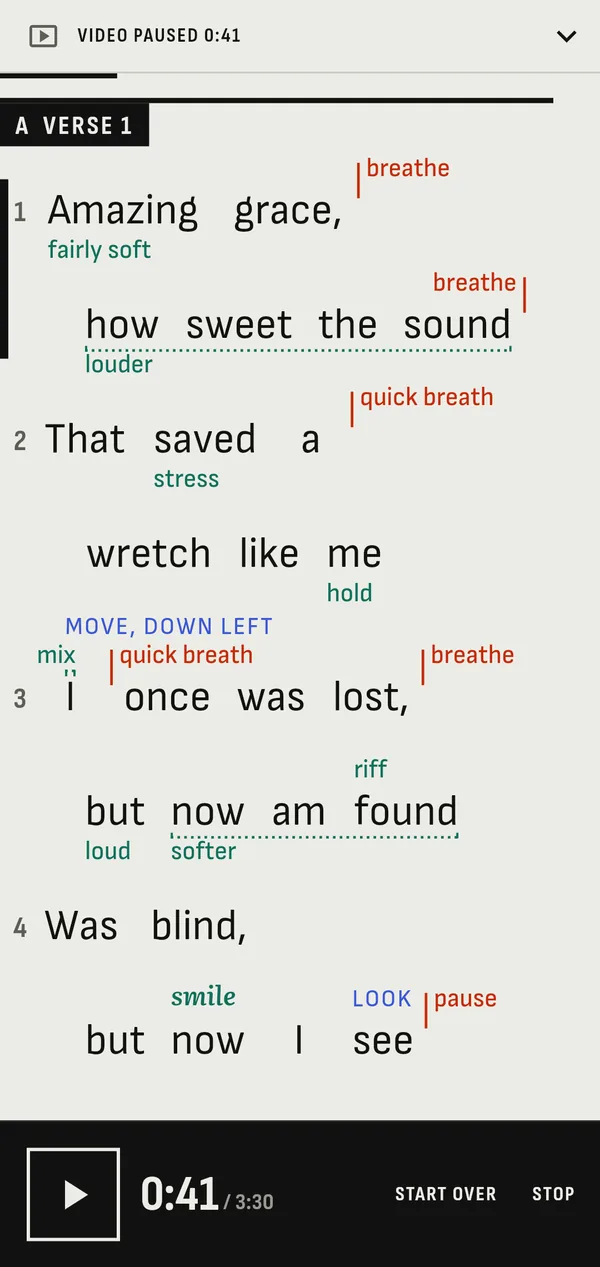
A video you link
A YouTube video you link plays in YouTube's own player. Fold it to a bar and the words get the screen.
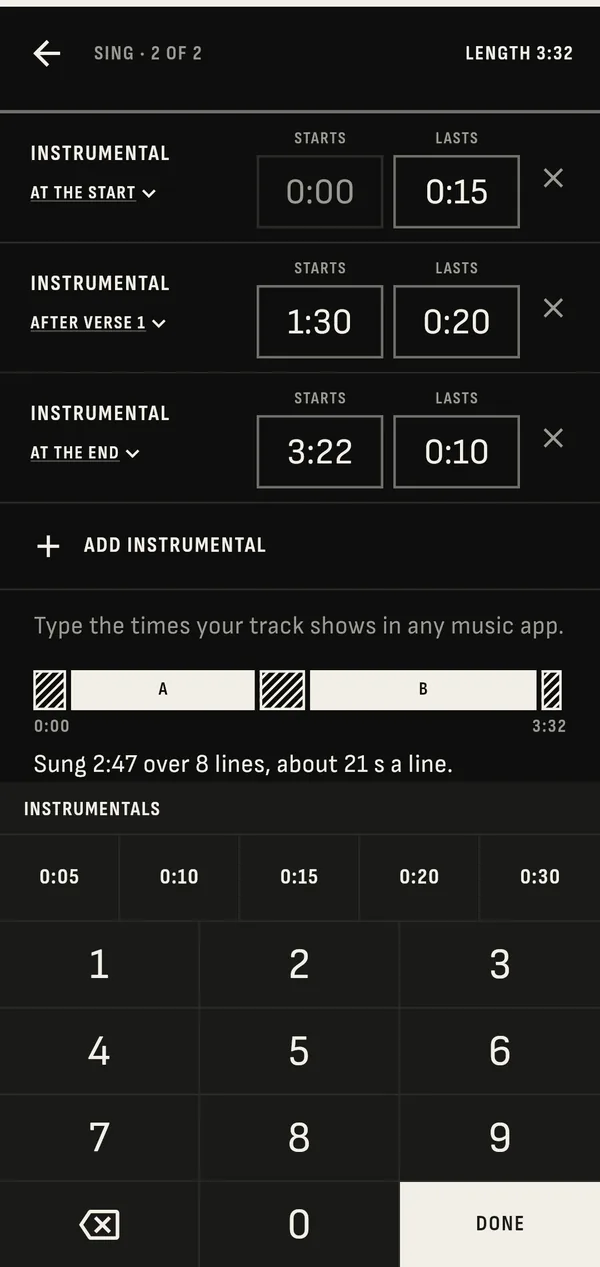
Instrumentals that wait
Give each instrumental its start time and length. The words wait it out, then carry on.
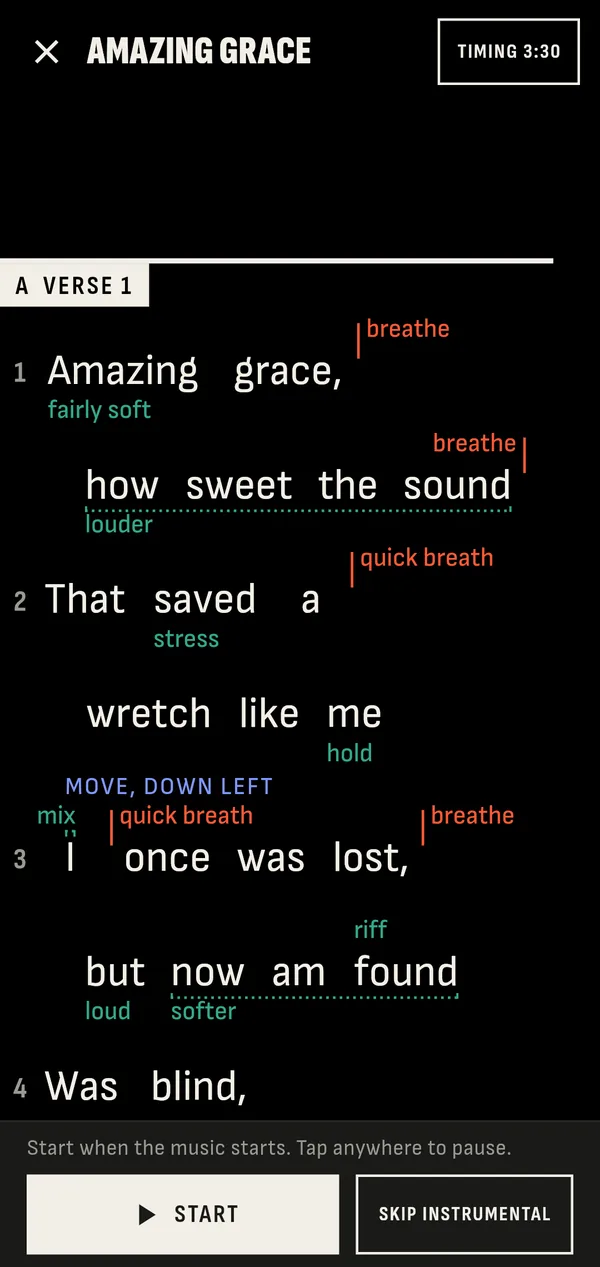
Or just the length
No track? Set the song's length, press Start when the music starts, and the words scroll to it.
No app yet? Try a plain lyrics teleprompter in your browser.
Open the lyrics teleprompterThe sheet
Your song on one clean sheet
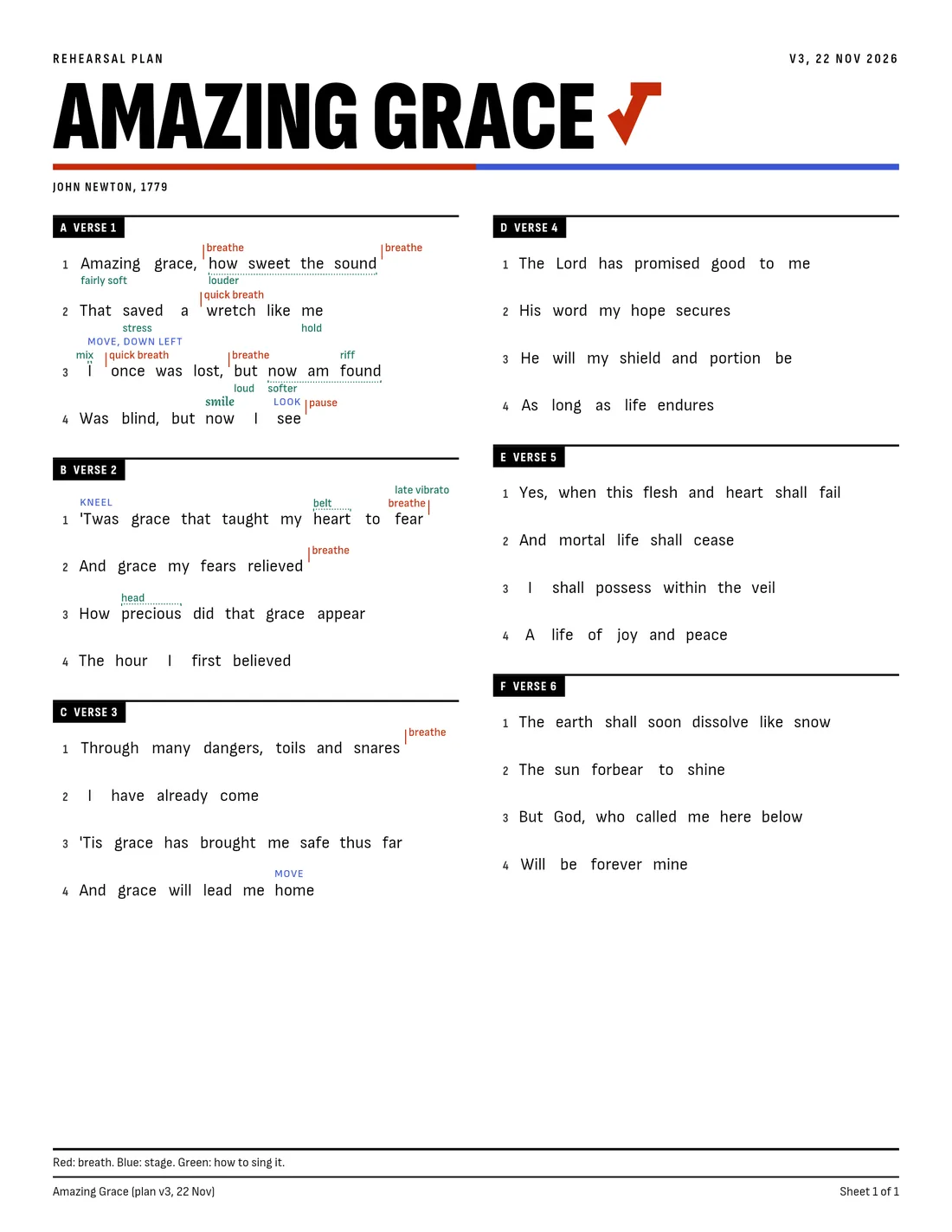
Print it, or share it as a PDF. Whoever gets it needs no app to read it.
- One pageOne column, then two, then a smaller size, never under 10 pt. A longer song breaks between sections, never inside one.
- VersionsEvery share carries a version and a date. Change a mark after a lesson, share again, and v3 becomes v4.
- BookletsPut a set in order and share it as one PDF booklet.
- Your choice of printBlack, or red, blue and green, on A4 or Letter.

What it costs
Free, with no account and no subscription
Free today
- Every mark, Sing, Read and the PDF sheet
- No ads of our own, no subscription, no account
- Your sheets and shares are always free
A one-time unlock for large libraries may come later. Anyone who installed before it keeps unlimited songs.
Private
Your songs stay on your phone
- No accountOpen it and start. There is nothing to sign up for.
- No ads of our ownAnd no analytics.
- No serverWe never see your songs. They leave your phone only when you share a file, or in your phone's own backup.
- Works offlineExcept a YouTube video you link, which plays from YouTube.
Questions
Before you install
Does it find or download lyrics?
No. You bring the text: a song you wrote, a public domain piece, or words you have the right to use.
Does the teleprompter follow my voice?
No. It keeps time with your track or the video you link, or scrolls evenly to the length you set. Tap the screen to pause.
Can someone open my sheet without the app?
Yes. The sheet is an ordinary PDF. Anyone can read it or print it, on any phone or computer.
Is there an iPhone version?
Not yet. It is planned after Android, and there is no date. A sheet you share from Android opens on any iPhone.
Is it really free?
Yes. No ads of our own, no subscription, no account. A one-time unlock for large libraries may come later, and anyone who installed before it keeps unlimited songs.
Get it
Get Songplanner
In English, Spanish, Portuguese, French, Italian, German and Indonesian.
 Android Not yet
The Android app is being tested and is not on Google Play yet.
iPhone Not yet
There is no iPhone app yet. A sheet made on Android is an ordinary PDF and opens on any iPhone.
Someone sent you a sheet? Read this first.